@Paul_Danyliuk this thread is an excellent example of addressing this  [general] Coda user sentiment (from November 2019)
 1
1
@Marko_Petrovic I still have not discovered a way to have more than 24 hours per day, but when it comes to online videos, I watch most YouTube videos on 3x or 3.5x speed 
document.getElementsByTagName("video")[0].playbackRate = 3.5
 Change the 3.5 at the end to 3.0 to slow it down. The maximum is 3.99 before YouTube begins to skip frames
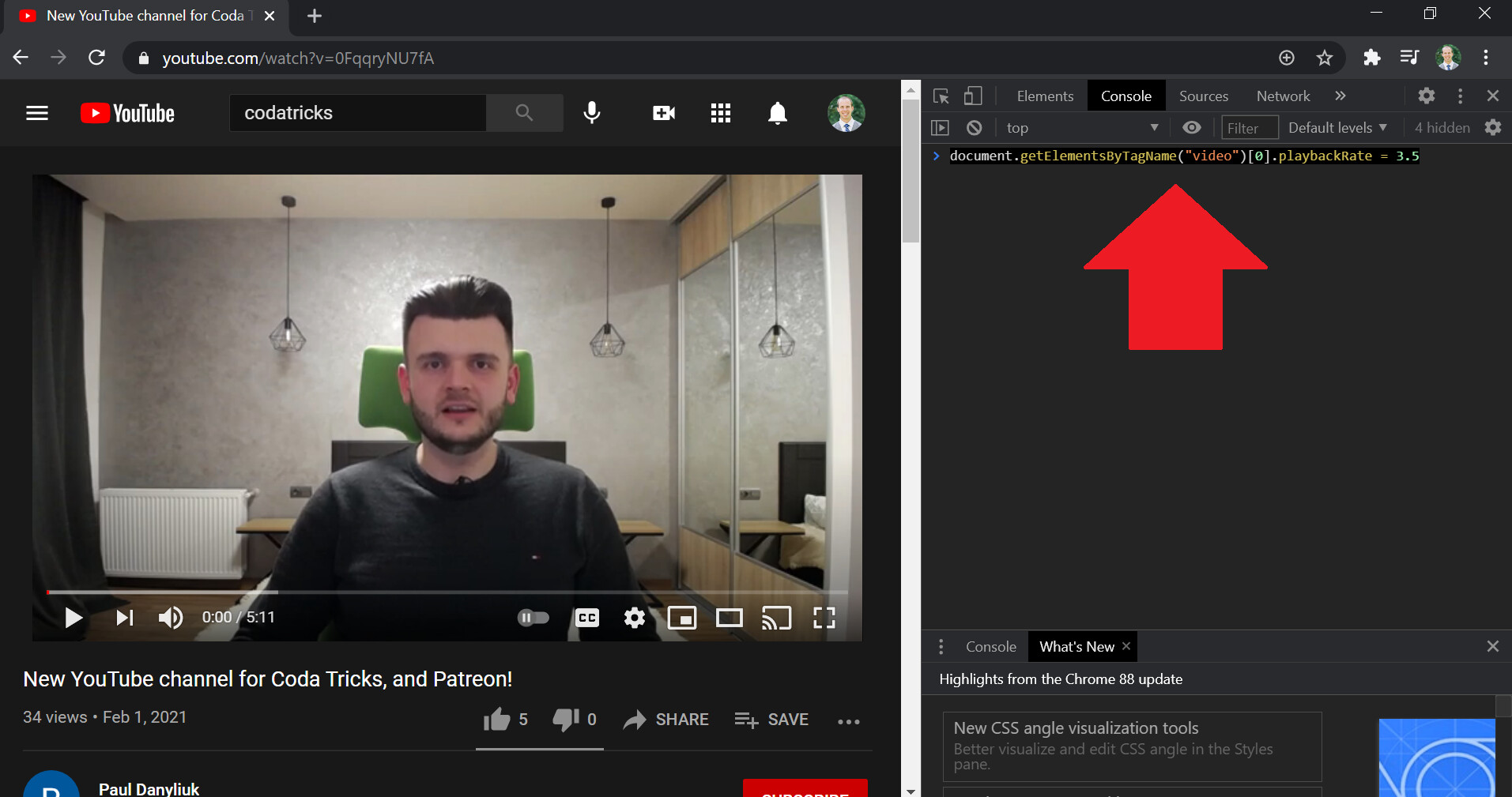
- ctrl/⌘ + i in Google Chrome → opens developer console
- click console tab in top right
- [optional] click
 in top right → clears alerts
 - ctrl/⌘ + v →
document.getElementsByTagName("video")[0].playbackRate = 3.5 - press enter
- close Google Chrome developer console
 in top right
 - press play on YouTube video


*for Vimeo videos: if ctrl/⌘ + i does not work … right click on the video embedded in the page and click “inspect”
Text Expansion Keyboard shortcut
www.textexpander.com → PC & Mac ($40 USD/year)
or
www.autohotkey.com → for PC (free) 1) download 2) install 3) paste code into .txt file
/**
AutoHotKey - for YouTube Speed (ctrl + alt + k)
*/
^!k::
SendInput document.getElementsByTagName("video")[0].playbackRate = 3.5
return

/**
Extras - Kill switch (windows + esc) and no tray icon (automatic)
*/
#NoTrayIcon
#+esc::exitapp
4) double click .txt file to activate 5) use keyboard shortcut to paste (ctrl + alt + k) 6) right click .ahk / .txt file open with notepad to edit 7) to activate on computer startup, place .ahk / .txt file in folder located around Microsoft\Windows\Start Menu\Programs\Startup
less advanced … similar outcome
