Trying to copy from google sheets with default number format and coda cant understand it
there was table pics but i cant post them
even manually selecting that this values are numbers doesn’t work
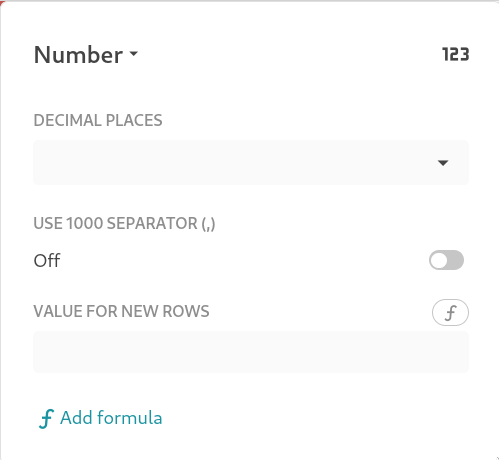
WHYYYY I CAN USE ONLY , SEPARATOR??? LITERALLY ALL normal people use space, why the fuck do i need to use ,
ok, maybe that “add formula” button can help me make a converter to convert that all to numbers
imagine a picture with formula menu
i don’t understand what this is and why this is in the number format menu
Hi @Kochan,
and welcome to Coda Community! 
Firstly, by registering you agreed on the guidelines of this community (FAQ - Coda Maker Community): it’s really appreciated to honour them.
Coming to your problem, currently formats on some data types are not covering all the full fine-grained spectrum (numbers, date, time).
However there are some workarounds to programmatically convert into the proper data type.
Not quite, but you can:
- make a formula column (not editable) that displays in the correct data type
- add a button that does it and puts the data in an editable column
I tried to provide you a sample with both alternatives: let me know if it is clear:
Also, Coda - as well as other relational oriented data tools - favourites a row-based approach rather that a column-oriented.
Meaning that it is usually easier add a row than a column and if you follow this principle you’ll take full advantage of the tool (also provided in the sample).
Let me know if you have additional questions.
Cheers!