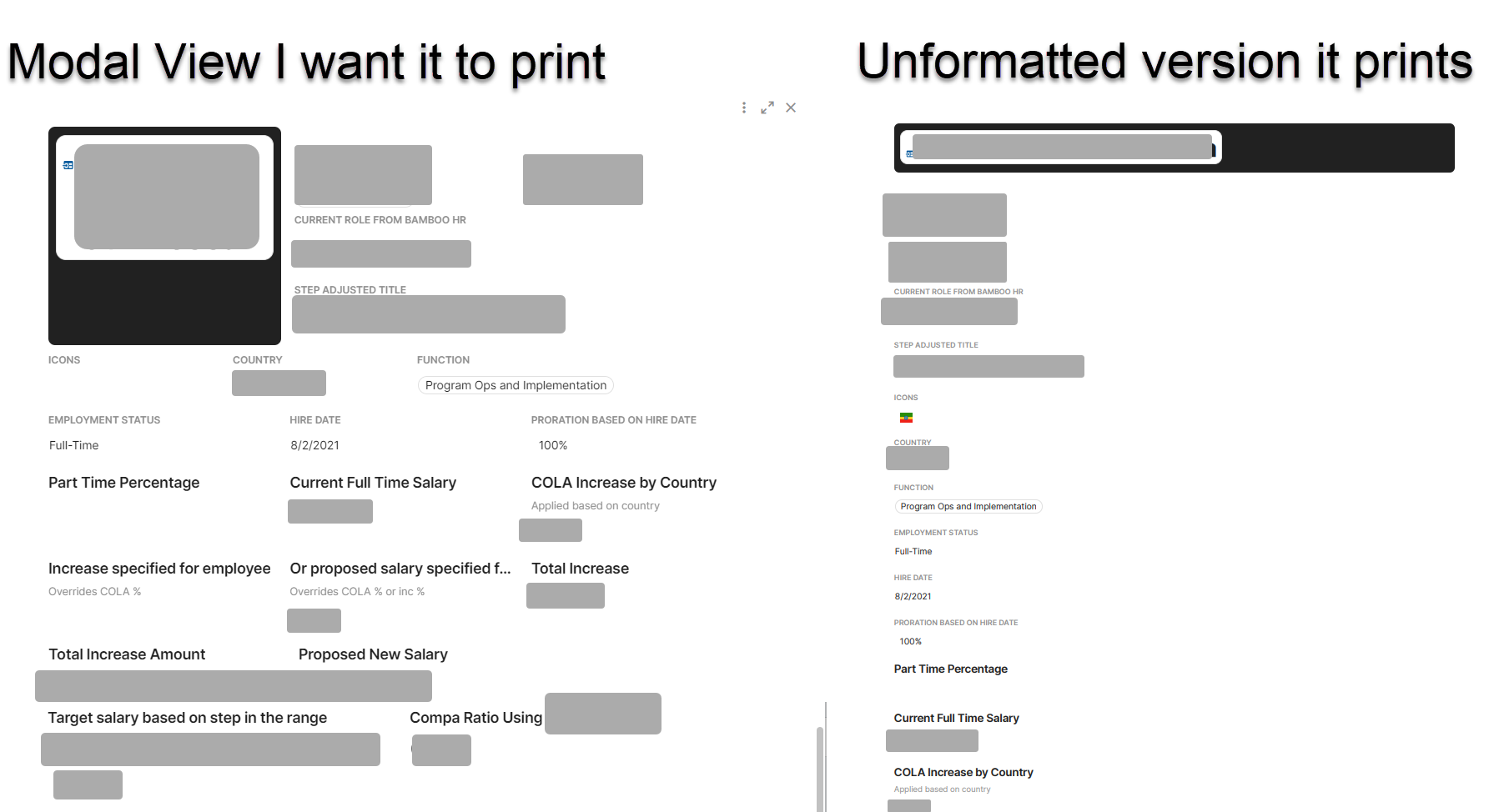
Hey Folks, right now when one prints a modal to PDF, it basically ignores all the formatting and stacks the columns of the row one after the other.
Is there a workaround someone has discovered that works? Honestly, very perplexed that the tool doesn’t honor the in-built browser print capabilities.
Anyways, for all the creative folks out there – would love to know if there is a workaround.
Thank you for your help in advance 
-A
Hey @Astha_Parmar, I think it would be helpful to see your doc and what you expect vs what your PDF looks like. Any chance you can update the thread with those?
Hi Jasmine,
I think the first challenge is that about half the time when I ask it to print anything, it says ‘Exporting to PDF, it may take a few seconds’ and then does nothing unless I log out and log back in. So just based on that, I wouldn’t recommend the feature to users/clients.
The next challenge is how it prints. Its an HR doc, so I covered over column names and values, but it shows you how the modal view for a row is formatted…but the print version does not honor that formatting. I don’t believe the issue is new…I saw an earlier thread on this. But was wondering if someone had figured out a work around.
Hopefully this helps provide the context needed.
Ahh okay, thanks. Yeah, this is a known limitation. Happy to add your info to a feature request if you’d like though!