Hi All, I’m a new user so sorry if this question has an obvious answer.
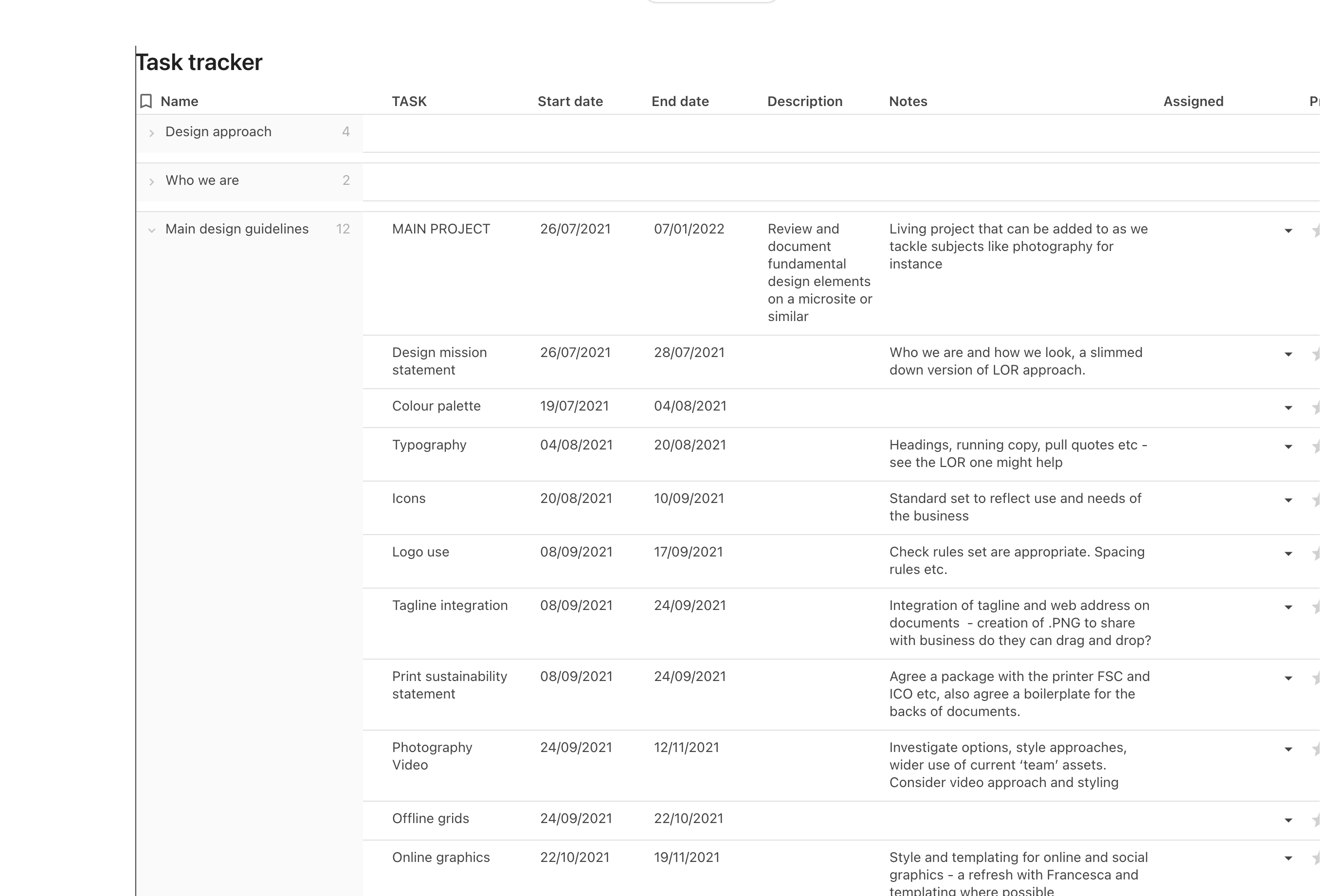
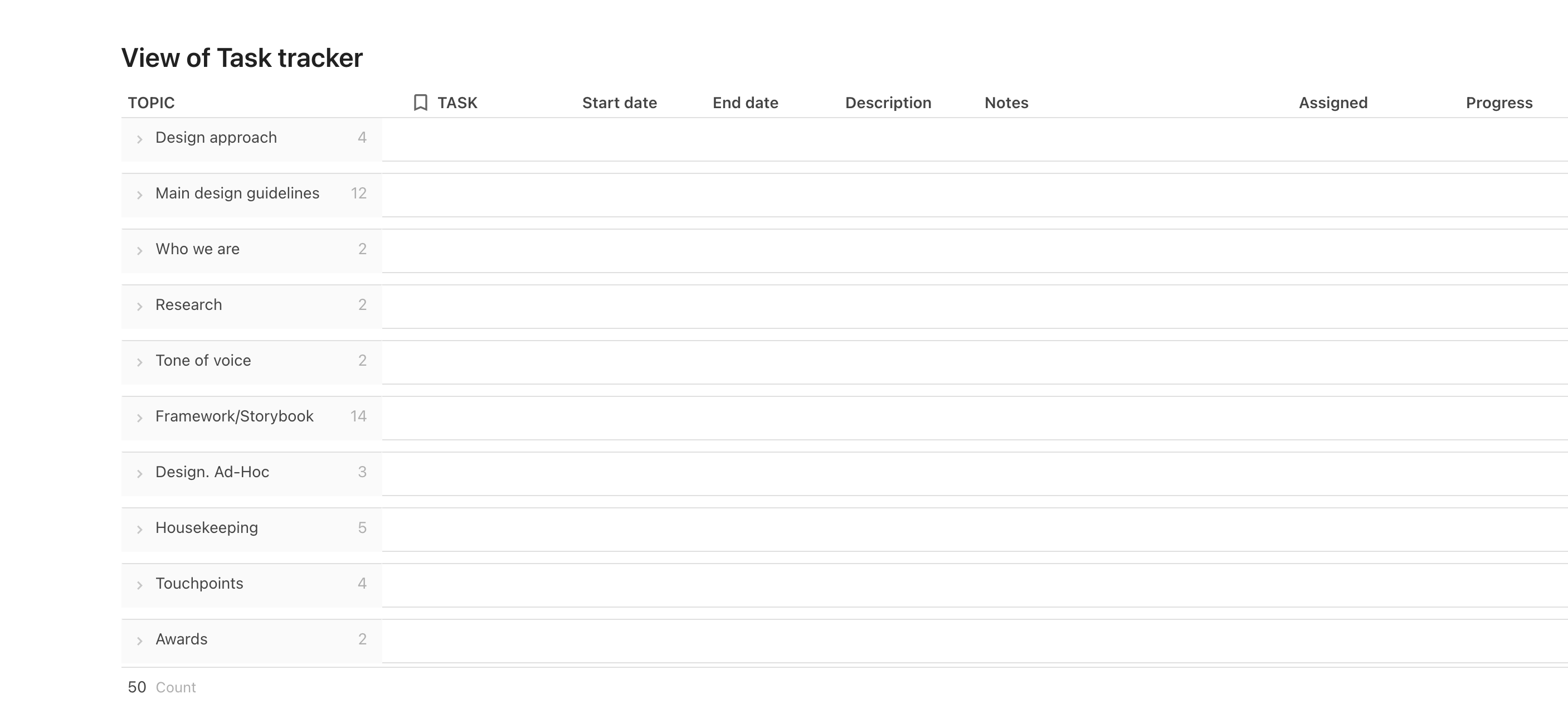
I’ve created a ‘Task tracker’ and then added topics in the first, most left hand column. I’ve then added sub-topics in the second column for each of the topics I created. So essentially I have a parent topic (‘Name’ column in the screenshot), and ‘children’ (‘Task’ column in the screenshot) sub topics. See screenshot ‘Topics 1’.
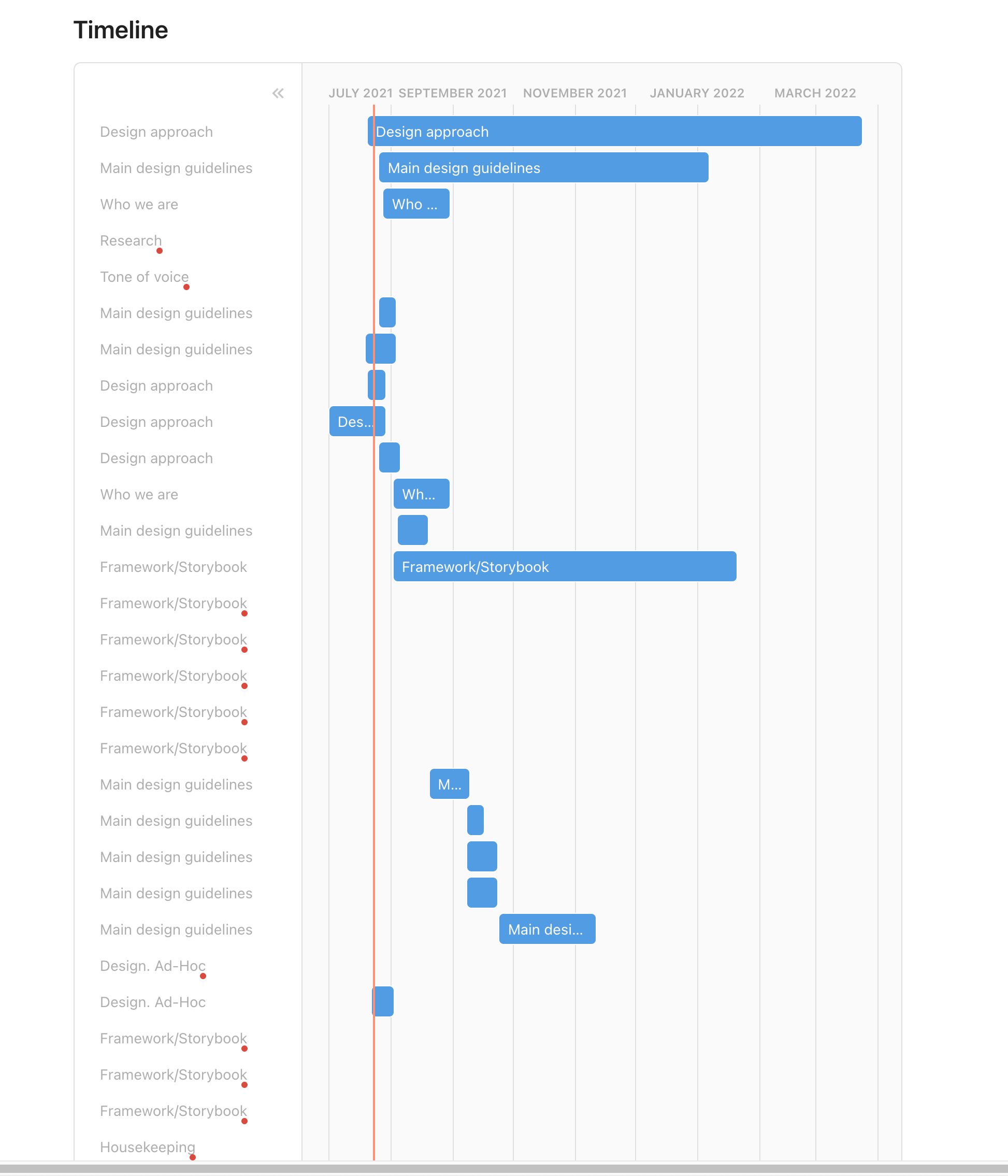
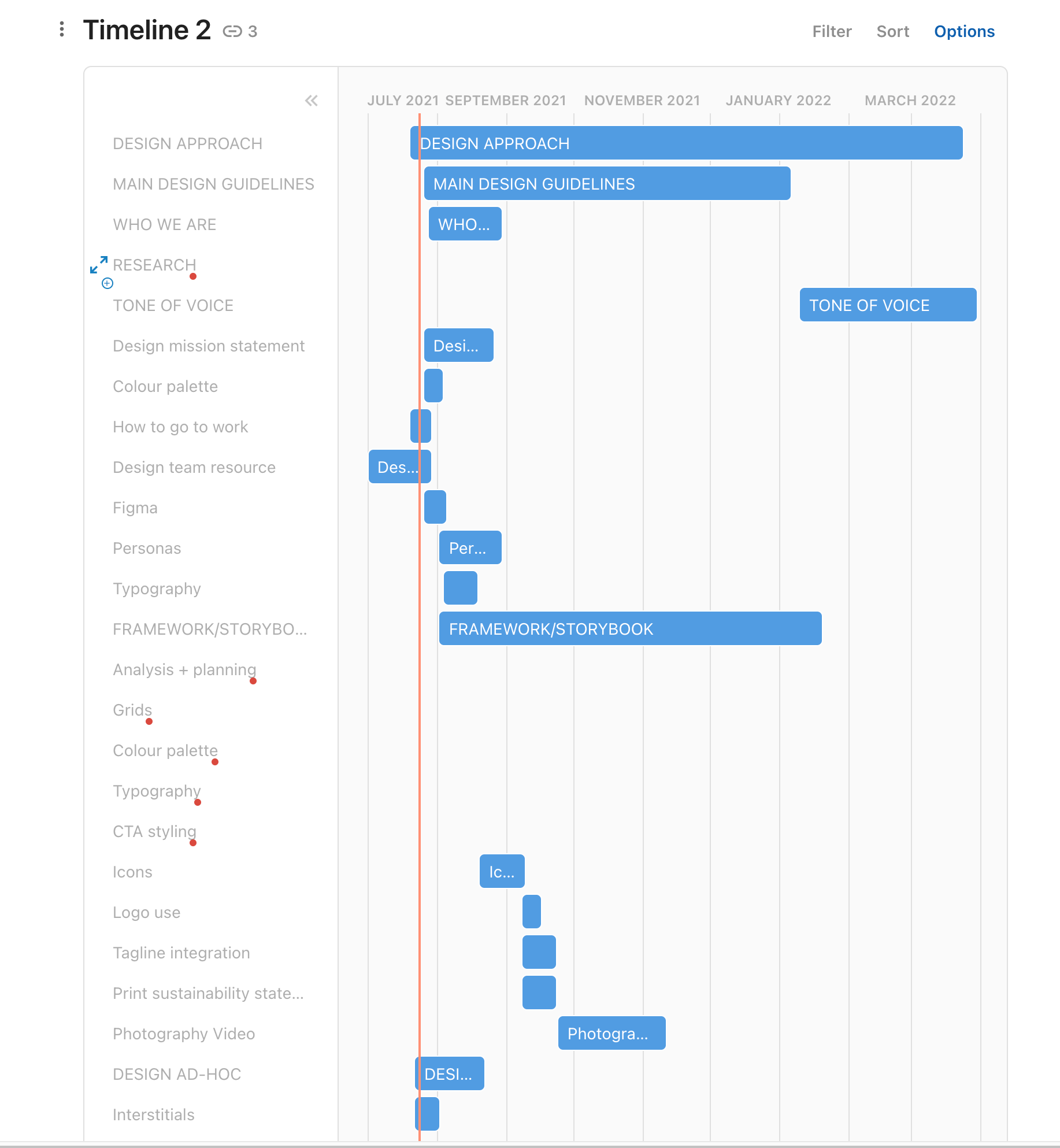
The thing is, the timeline is doing two strange things. 1. Taking the topic ‘main design guidelines’, the topic appears in the timeline multiple times, each incidence is reflecting a sub-topic, which is great, but it doesn’t name the entry after the sub-topic, it names it after the parent topic, hence lots and lots of ‘main design guidelines’ in the timeline. It would be fantastic if each entry was named after the ‘Task’.
- Assuming I can somehow sort that out, the other odd thing us that the entries in the left hand column in the timeline are in a different order than the entries in the left hand column in the table. For instance, in the timeline, ‘main design guidelines’ appears towards the top and then again multiple times interwoven among other topics, scattered down the left hand column. Surely they should be stacked one under the other in one position that reflects the order of the table? See screenshot ‘stacked 2’.
I hope that made at least a bit of sense, thoughts anyone? Thank you Alistair