Hey ya’ll, I have a doc where I’m checking off daily goals and I want, when I check the task off for it to fill in today’s date as the day the task was completed. But, I know nothing about formatting code, so I can’t get the formula right. Basically I’m trying to go : If my checkbox row is checked, my date row will enter today’s date. Can anybody help me write that out? A saw a similar post, but couldn’t access the actual code.
I created a GIF walkthrough for you.
Automation is a good approach here, because you ONLY want the date updated if and when the checkbox is actually selected.

Hi @Amber_Lee-Adadevoh and welcome to the Coda Community!
There are many ways you can accomplish that.
I would suggest you to use a button. With a button, you can run actions such as modifying a row.
I just created a doc for you for better understanding. Please check it out and let me know if this solves your problem and if you have any more questions.
Sincerely
Jannis
@Jannis I like your solution better. It’s simpler and immediate.
I just saw @Troy_Larson already gave you an answer.
The way he showed is another way to accomplish it.
As I said:
Sincerely
Jannis
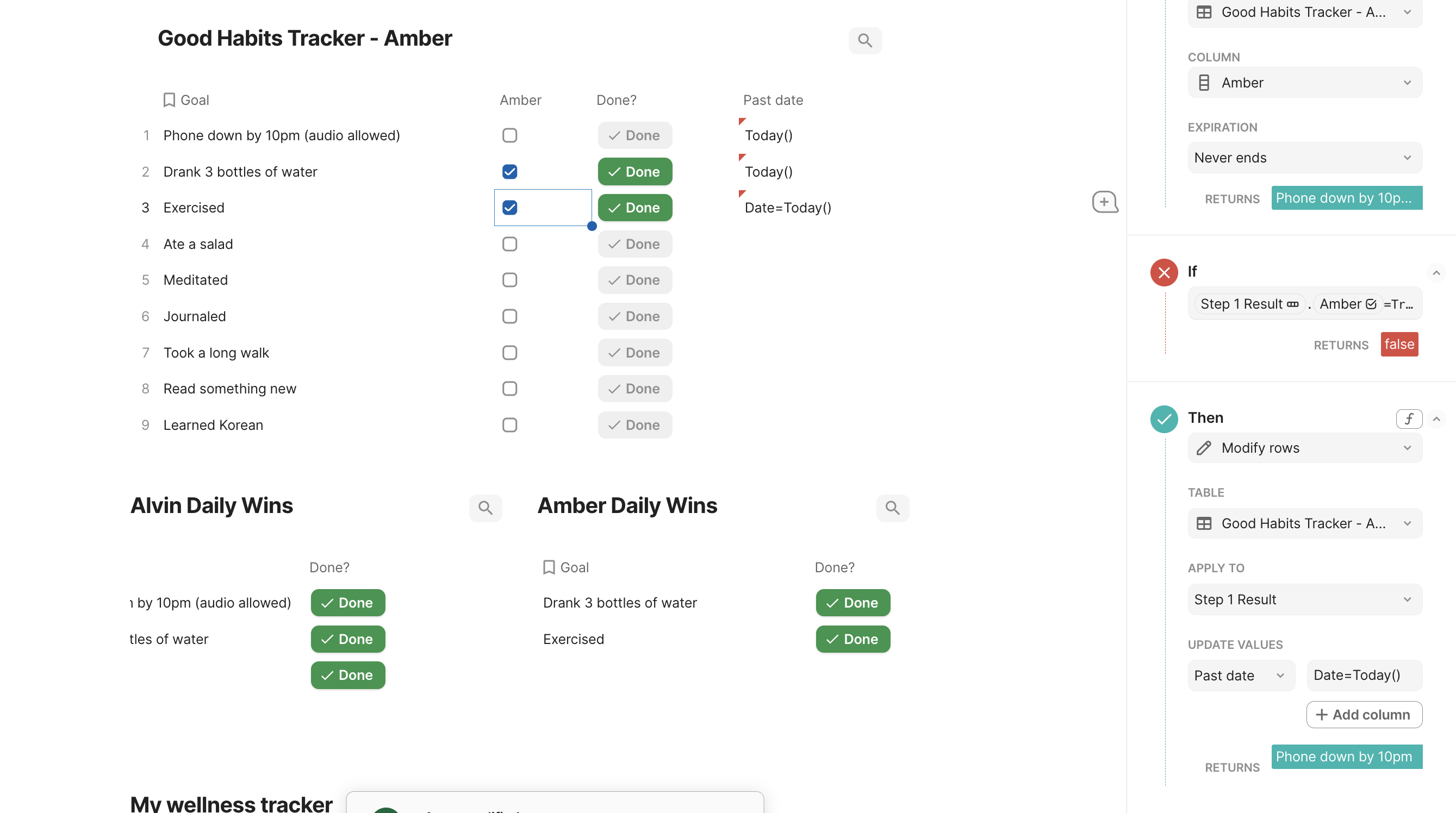
open your automations and clear the input in the field “Past date”. Then open the formula editor by typing “=”, type Today() and click “Done”.
Also, make sure the column “Past date” in your table is a date-column. Coda likes to auto change it sometimes.
Please let me know if everything works or if you need any more help.
Sincerely
Jannis